
Safeguard your iPhone from cunning thieves who try to outsmart the Find your iPhone tracking feature by the Shortcut on Your iPhone. They may think they’re clever by enabling Airplane Mode from the Control Center, but little do they know, you can outsmart them too.
Introducing the “Theft Protection” shortcut! This ingenious shortcut not only locks your screen but also disables Airplane Mode once again. To make it even more foolproof, set up a shortcut automation that will instantly activate the shortcut whenever Airplane Mode is turned on. Stay one step ahead of those sneaky thieves and keep your iPhone safe and secure.
Your iPhone has a lot of built-in protections in case it gets stolen. But a cunning thief might snatch it out of your hand after you unlock it and stop you from tracking it by enabling Airplane Mode. I created this shortcut to protect myself in case either of those things happens.
What iPhone Thieves Do When They Snatch an iPhone
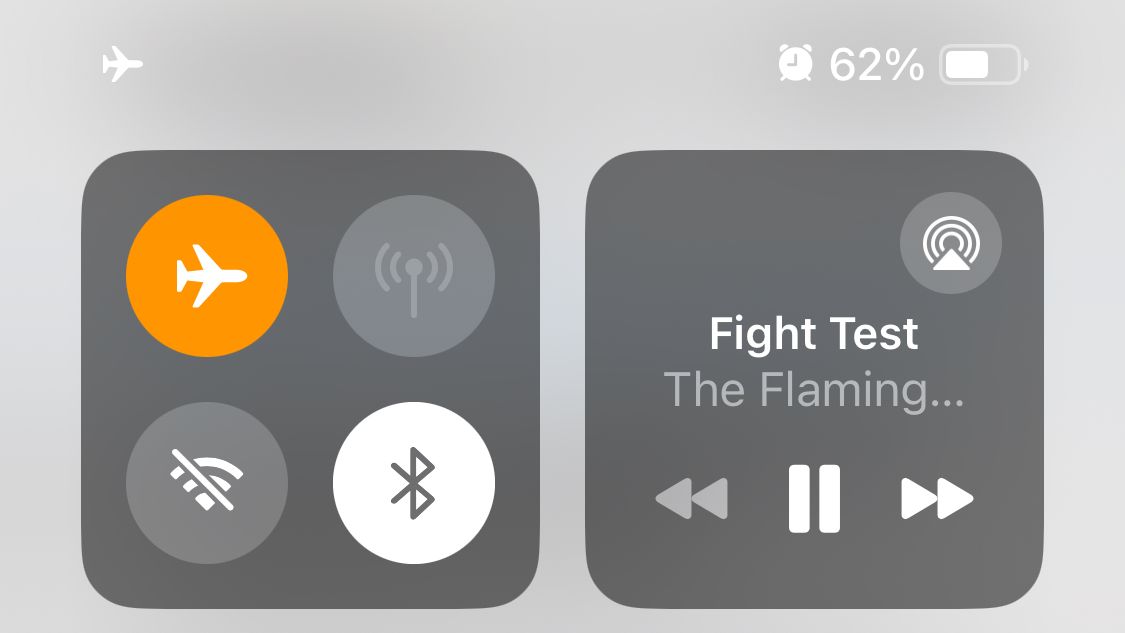
Most of us have Find My enabled so we can easily track our iPhone if it ever goes missing or gets stolen. However, it’s very easy for a thief to stop location tracking by enabling Airplane Mode from the Control Center.
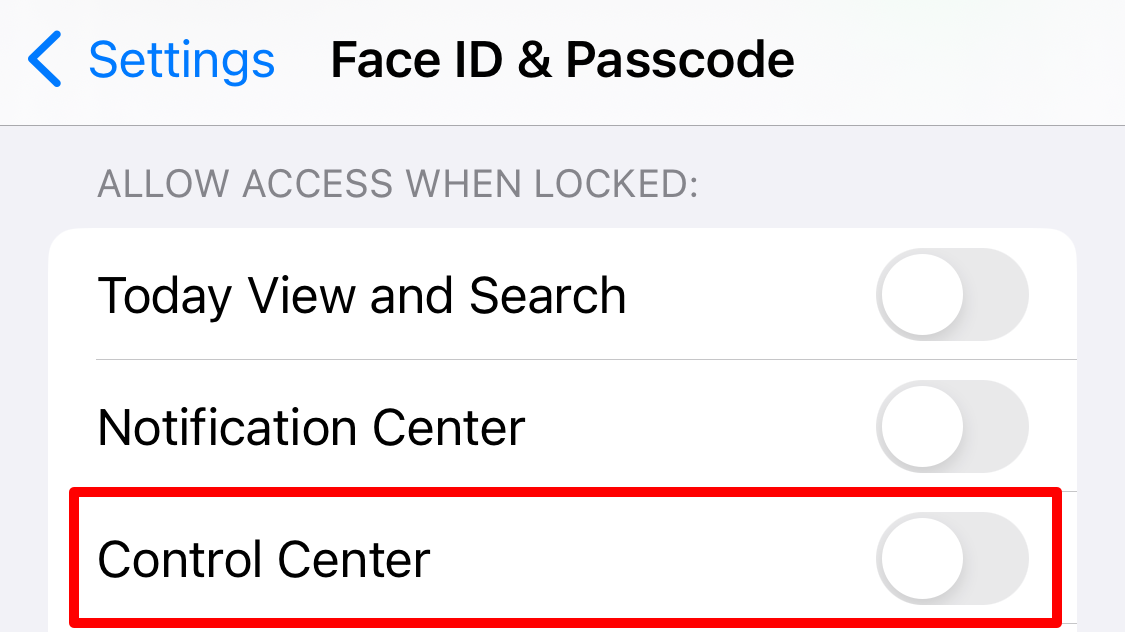
By default, an iPhone lets you access the Control Center when it’s locked, so a thief wouldn’t even need your passcode to do this.
ALSO READ: How to enable Chrome’s dark mode for all websites on iPhone, Android and PC
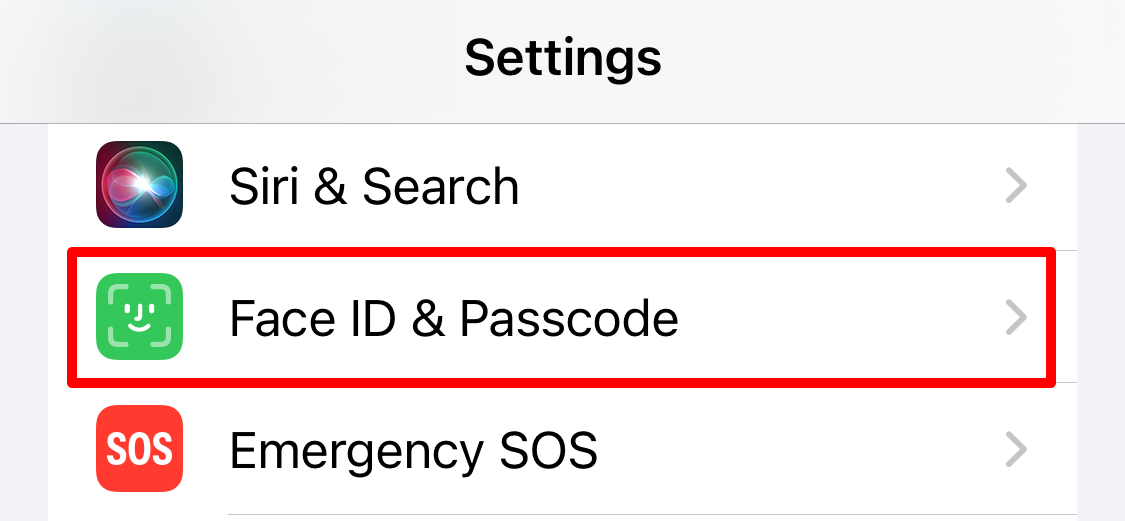
If you haven’t already, you can change this behavior for better security by going to Settings > Face ID/Touch ID & Passcode, then scrolling down to the “Allow Access When Locked” section and disabling “Control Center.”
But that’s not enough. What if someone snatched your iPhone right after you unlocked it? Not only could they open Control Center to turn on Airplane Mode and stop you from tracking anything, but they would also have access to all your data. This is exactly why Apple added Stolen Device Protection to devices, which you should also turn on.
But the shortcut below will give you even more protection.
How an iPhone Shortcut Can Help (You Need This Shortcut on Your iPhone in Case It Gets Stolen)
The idea behind this shortcut is pretty simple. The first thing most thieves will do after stealing an iPhone is enable Airplane Mode to stop location tracking, so we can make that an automation trigger to run a custom “Theft Protection” shortcut. You could use this shortcut to run all kinds of actions, but I suggest disabling Airplane Mode and locking the screen.
That would mean as soon as a thief enabled Airplane Mode, it would automatically turn off again (so you can keep tracking the phone) and it would lock the device (so they can’t try again or access yoru data without knowing your passcode). You can even make this shortcut take a photo with the selfie camera to get a photo of the thief, though that does slow it down a bit.
If you haven’t used the Shortcuts app before, here are some other cool shortcuts you might want to try out.
ALSO READ: Apple iPhone 16 Pro Max leak hints at a super zoom camera upgrade
A Guide to Creating This Shortcut
This shortcut is pretty easy to create, but I’m going to split it into two sections to make it as clear as possible. The first section is about creating the “Theft Protection” shortcut that runs when Airplane Mode is enabled, letting you choose exactly what you want to happen. The second section shows you how to set up the automation to trigger that shortcut when Airplane Mode is turned on.
NOTE : Both steps of these instructions are crucial, so don’t skip one.
Step 1: Create a “Theft Protection” Shortcut ( Shortcut on Your iPhone in Case It Gets Stolen)
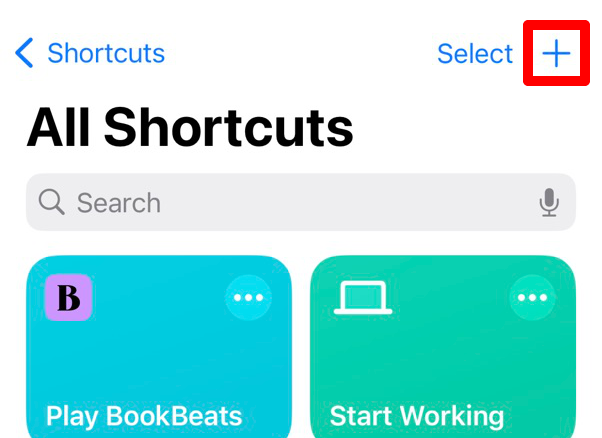
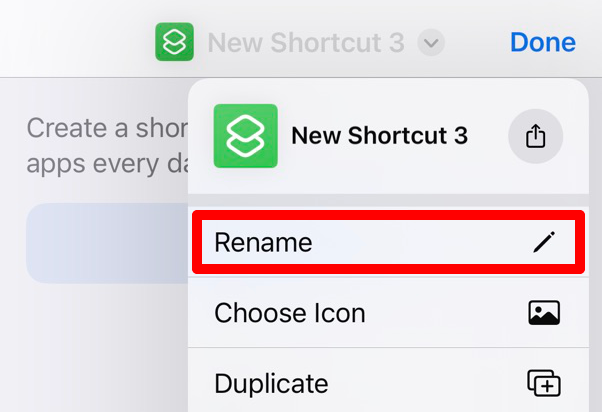
Open the Shortcuts app on your iPhone and tap the “+” to create a new shortcut. Open the dropdown at the top of the screen to rename the shortcut. You can call it whatever you like, but I call mine “Theft Protection.”
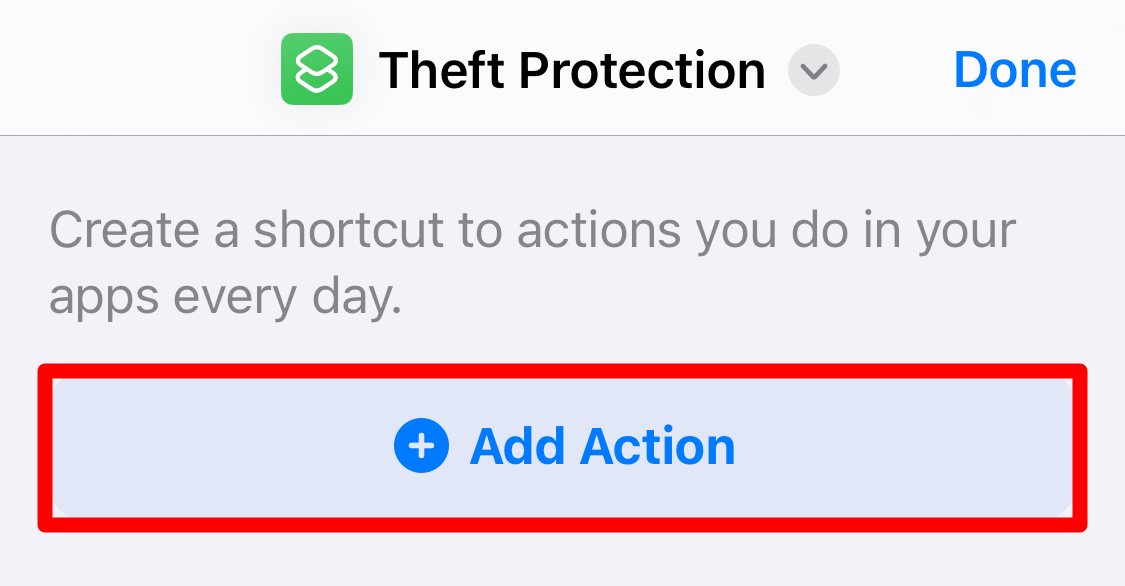
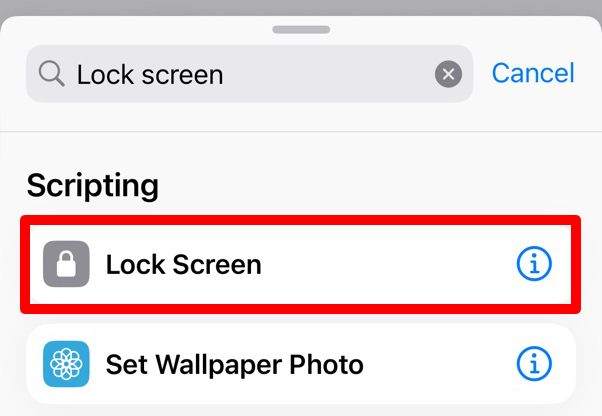
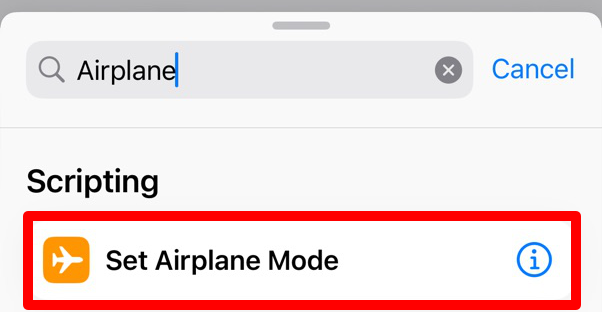
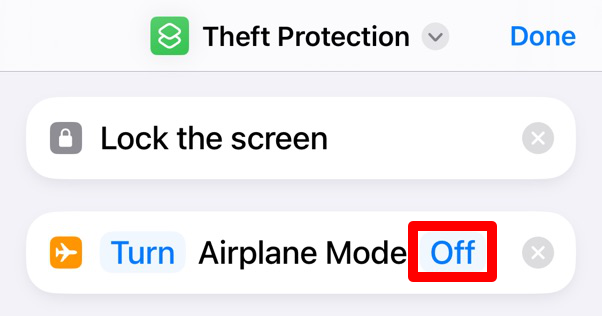
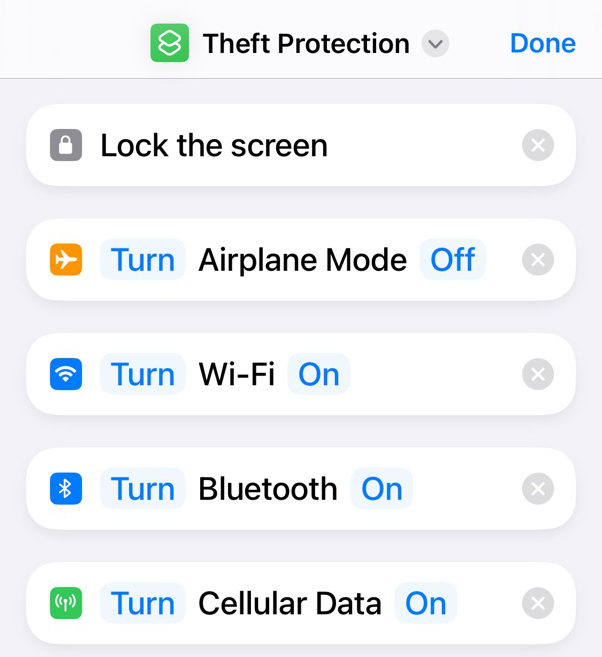
Now tap “Add Action.” Search for and add the “Lock Screen” action. Then search at the bottom of the screen to add the “Set Airplane Mode” action. Make sure you configure it to turn Airplane Mode “Off.”
ALSO READ:The iPhone 16 Is Coming: Here’s What We Know So Far
I’d also recommend adding actions to make sure Wi-Fi, Bluetooth, and Cellular Data are all turned on as well, just to make sure they haven’t been disabled separately.
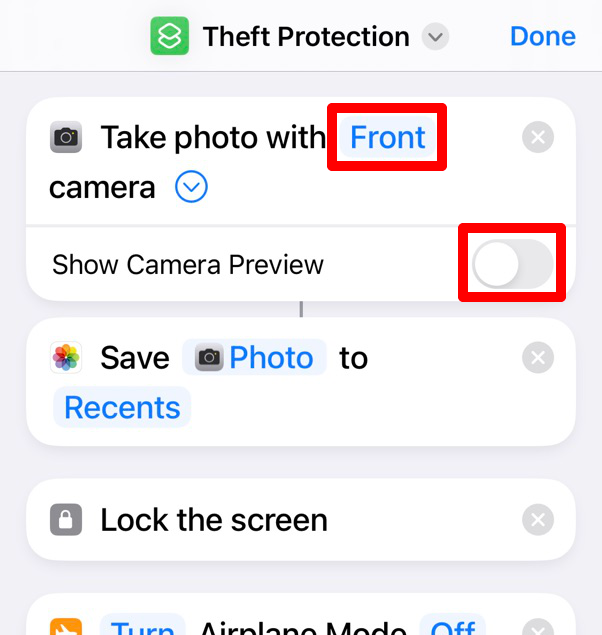
If you want to take a photo of the thief, you need to add the “Take Photo” action set to use the “Front” camera. Also, open the dropdown and disable the “Show Camera Preview” option. Then pair it with the “Save to Photo Album” action immediately below, otherwise the photo won’t save. You’ll need to move both of these actions to the top of the list so it can take a photo before the screen locks.
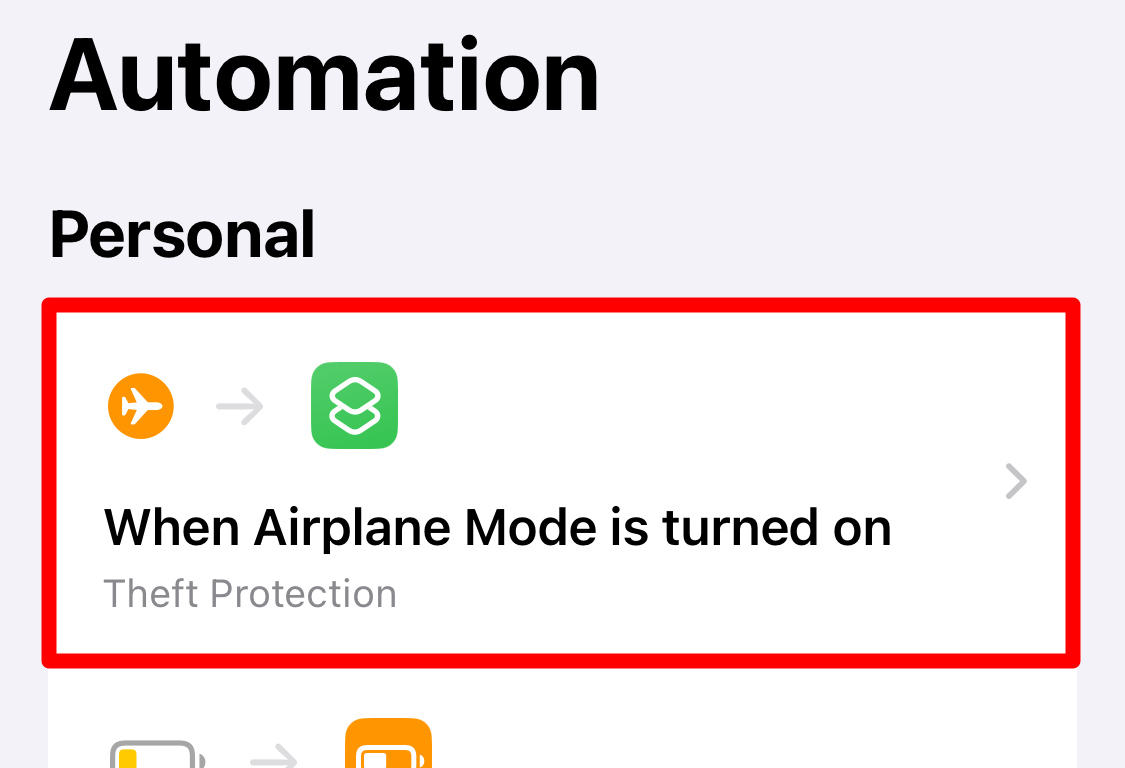
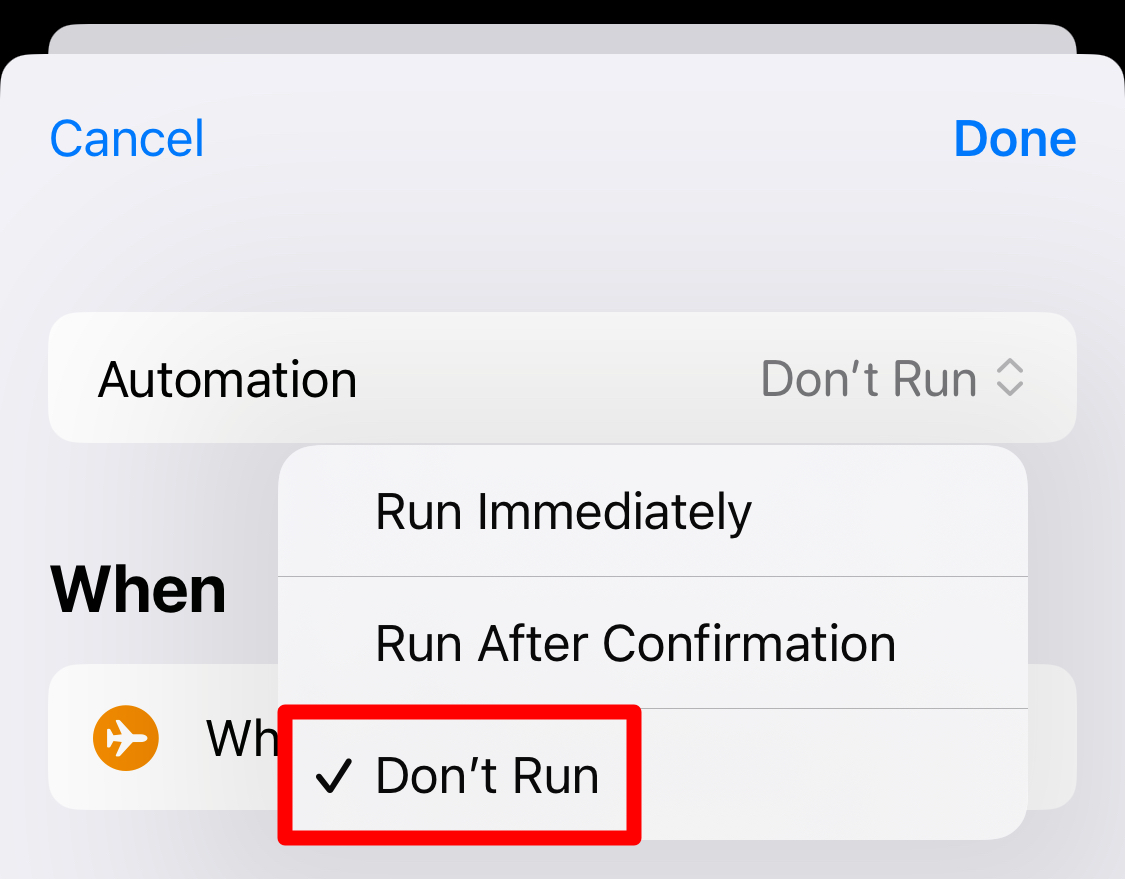
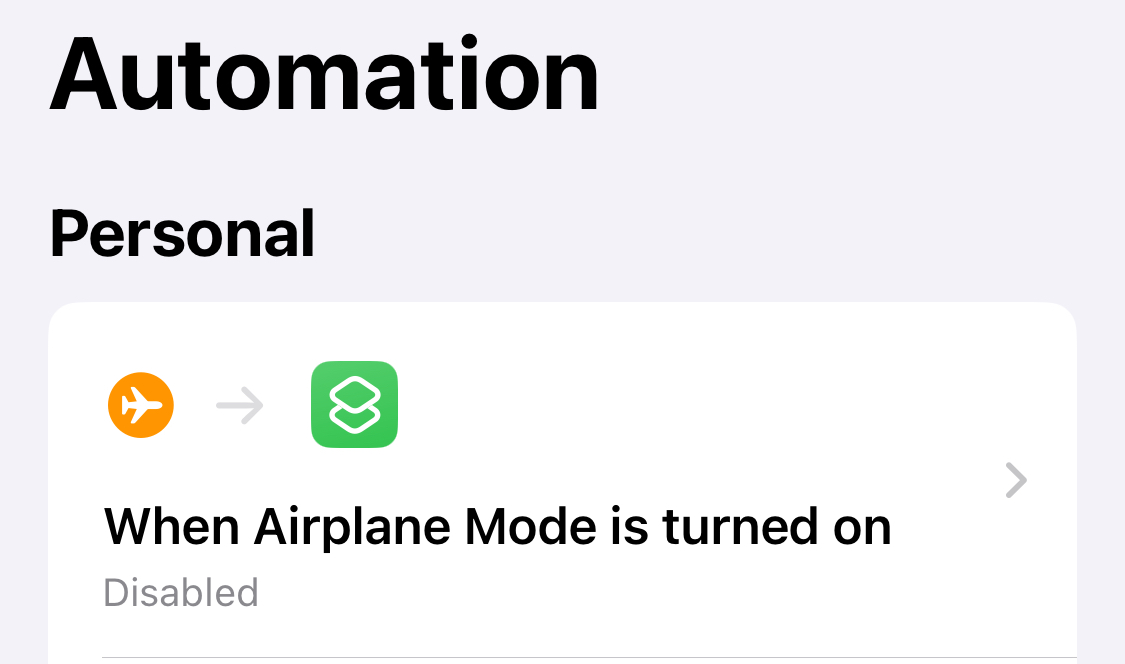
Make sure you never set it to “Run After Confirmation,” as a thief can then easily stop it running if you do that.
Since I don’t live in a high-crime area, I keep this shortcut disabled most of the time. But I make sure to enable it whenever I’m traveling with my iPhone or going to a busier area.